Contractors
Before a contractor can come to site, they need to be set up and authorised in the system
Select from under the setup menu.
To add a new Contractor, click the button.
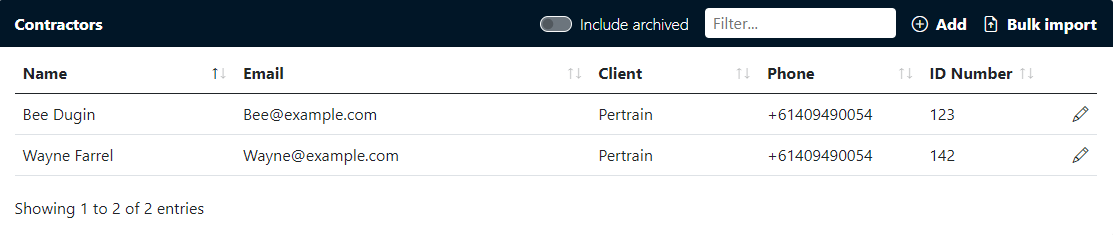
Fill in the members details and click Save button.
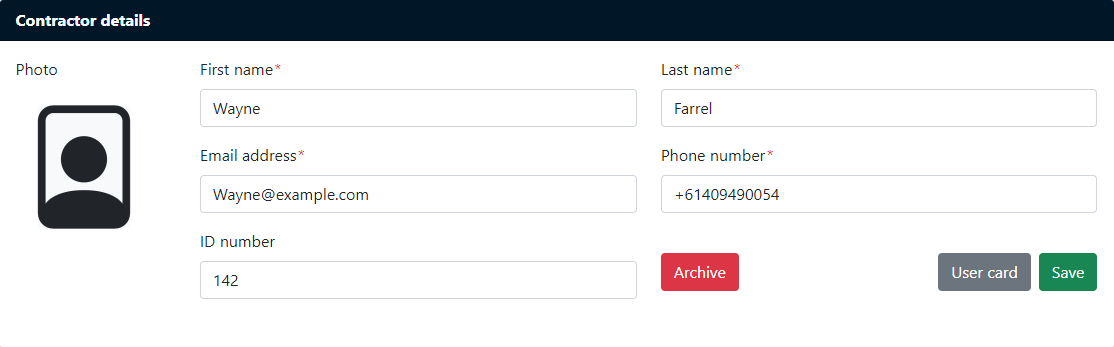
The Contractor will be able to upload a photo the first time they log in.
You can also download a print contractor card, this card can be used when signing into the system from a kiosk.